
Share Your Assets. Support Your Customers.
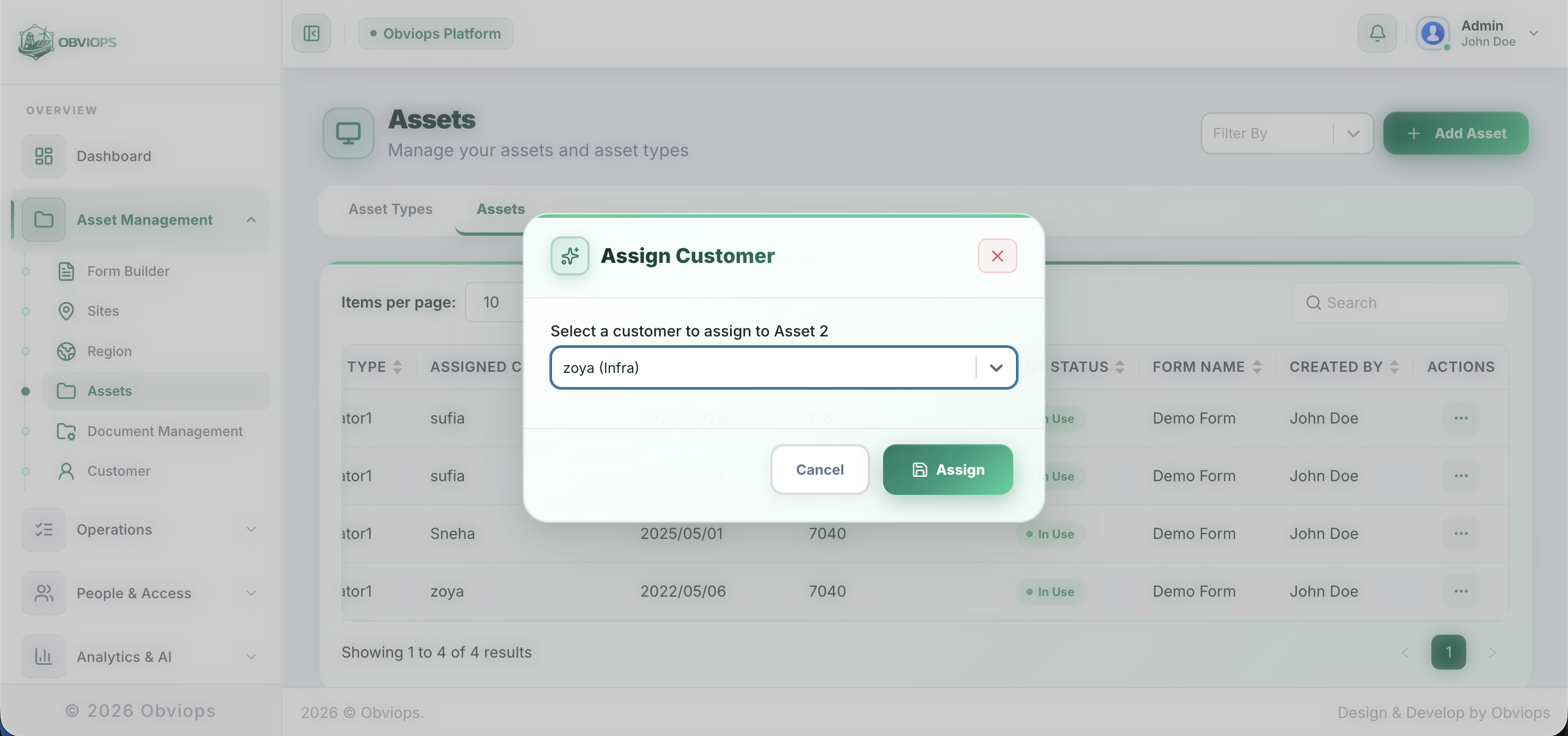
Assign your organization's assets to customers directly from your dashboard. Customers view what's been shared with them and can raise support queries all tracked and resolved from one place.
What's included
Key Capabilities
Asset Assignment
Select any asset from your registry and assign it to a customer in seconds. Customers immediately see what's been shared with them.
Customer Management
Maintain a directory of customers with their contact and company details. Assign assets to the right customer every time.
Query & Issue Raising
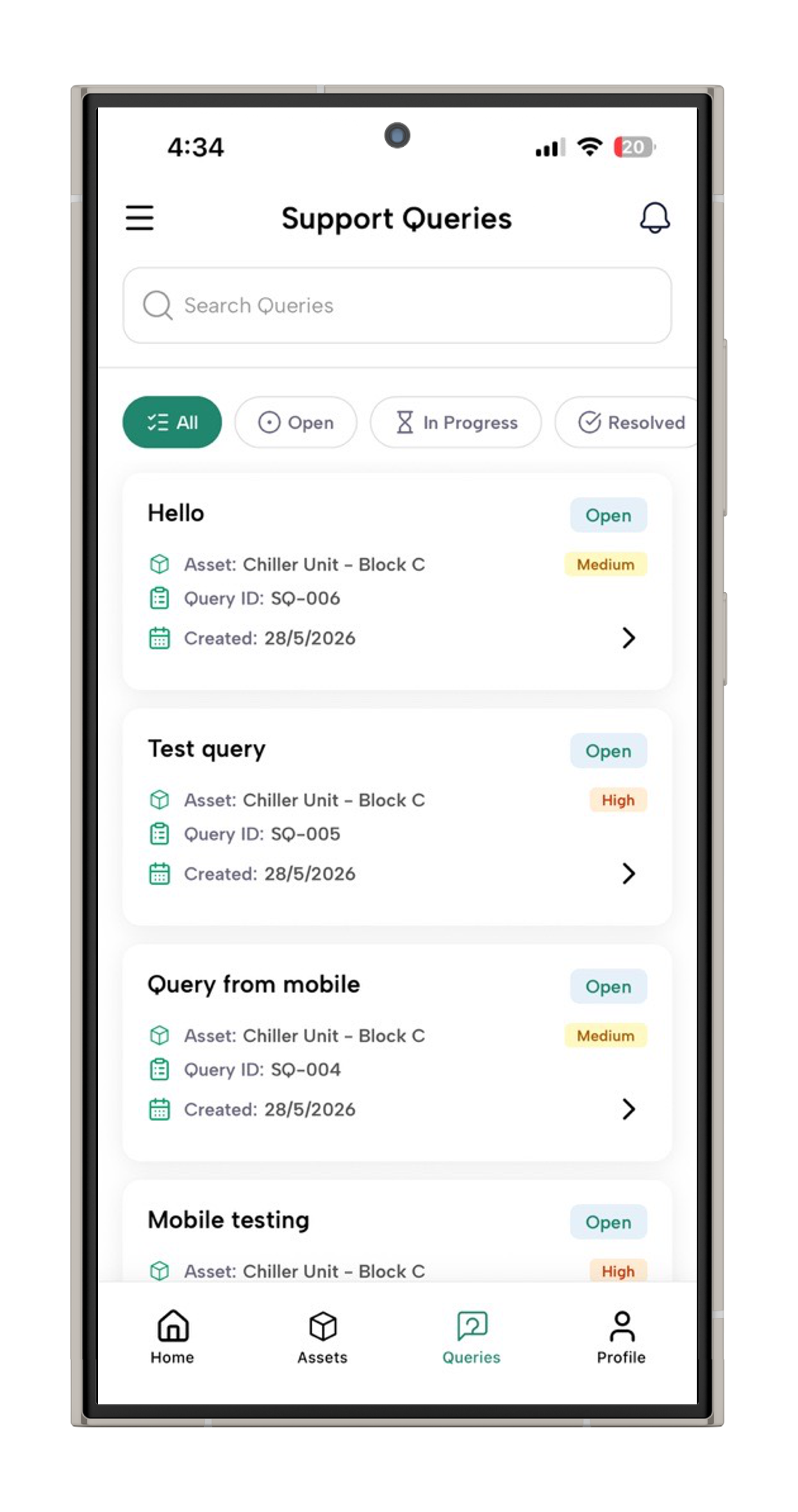
Customers report problems with a title, description, priority level, and optional photo attachments directly from the mobile app.
Query Tracking & Resolution
Track every customer query from Open to In Progress to Resolved. Full visibility for both your team and the customer at all times.
Simple by design
How Modules Work Together
Add your customer
Create a customer profile with their name, company, email, and contact details takes under a minute.
Assign the asset
Select the asset from your registry and assign it to the customer. The asset is immediately visible in their mobile app.
Customers report, you resolve
If customers find an issue, they raise a query with priority and attachments. Your team sees it instantly and resolves it.
Give customers direct access to your assets
See how OBVIOPS Asset Sharing works in a 20-minute personalised demo.
Book a demo